
Section 01
What Does "The Architecture" Actually Mean?
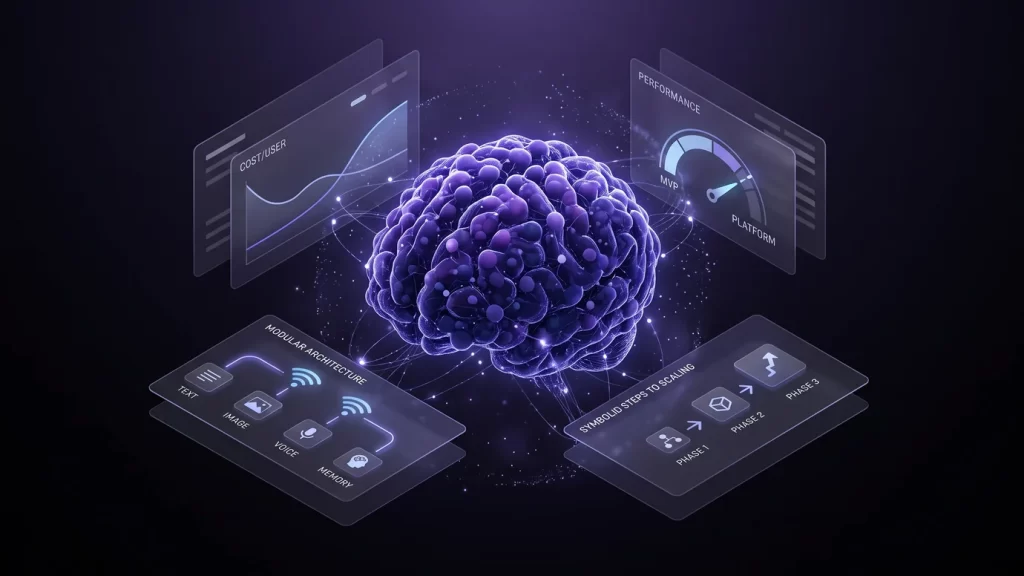
An AI companion platform is not one model — it is a language model, an image generator, an optional voice, memory storage, and moderation working together, and the cost-efficient version of that stack looks very different from what the market leaders run.
The Stack, Not the Model
A companion app's personality comes from its language model, but its identity as a product comes from everything wired around that model: an image generator for its visual persona, a memory layer that remembers what the user told it last week, and a backend that routes all of it into one coherent conversation. Getting the language model right, covered in depth in the companion piece on the full breakdown of how transformer language models work, is necessary but not sufficient. The visual half of the stack runs on a different family of models entirely, explained in how diffusion models actually generate images and video — the architecture question is really a sequence of build decisions across seven components, each with its own 2026 cost.
Why Cost Efficiency Beats Raw Capability at Launch
The AI girlfriend app market reached $2.91 billion in 2026, growing 25.5% year over year, but revenue is heavily concentrated: the top 10% of 337 active companion apps capture 89% of category revenue, and only 33 apps have ever exceeded $1 million in lifetime spend. That concentration means most new entrants are not competing on who has the biggest model — they are competing on who can survive long enough, and cheaply enough, to find a retained audience. The full numbers behind that market are in the 2026 market size and revenue data for AI-generated adult content.
Section 02
How Does a Message Flow Through the Pipeline?
Every message a user sends moves through the same five steps regardless of which specific models sit behind them: intake, context assembly, generation, optional media, and delivery.
The Request Loop, Step by Step
The backend receives the user's message, pulls the relevant conversation history and persona facts from memory storage, and assembles a prompt combining both. The language model generates a reply from that assembled context. If the reply implies or the user explicitly requests visual content, the backend separately calls the image generation model with a prompt derived from the persona's established appearance; if voice is enabled, the text reply is separately routed to a text-to-speech model. The finished text, image, and audio are assembled and returned to the interface together.
Why a Modular Pipeline Beats One Giant Model
No single 2026 model generates conversation, images, video, and voice at production quality simultaneously — treating the pipeline as separate, swappable components is what makes the cost-efficient architecture possible in the first place. A weaker but cheaper language model can be swapped in without touching the image pipeline, and vice versa; this modularity is also what lets a small team defer expensive components (video, in particular) without blocking launch.
Example pipeline routing config
{
  "text_model": "self-hosted-quantized-8b",
  "image_model": "flux-1-schnell",
  "voice_model": "f5-tts",
  "voice_enabled": false,
  "memory_top_k": 8,
  "gpu_target": "rtx-4090",
  "trigger_image_on": "explicit_request_or_persona_keyword"
}
Section 03
Where Does Each Component Fit, and What Does It Cost?
A complete multimodal companion app has seven moving parts — this table extends the standard five-component app architecture with the image, voice, and video layers a text-only companion app does not need, since the goal here is the full stack, not just the language model.
| Component | What It Does | Recommended 2026 Option | Est. Cost |
|---|---|---|---|
| ⭐ Language Model | Generates the character's conversation and persona responses | Self-hosted Llama 4 Scout or Mistral Small 4, or a hosted API at MVP stage | ~$500/mo self-hosted on one RTX 4090, or pay per token via API |
| Image Generation | Produces the character's visual persona and on-demand images | FLUX.1 schnell (Apache 2.0) | $0.003 per megapixel via API, or free self-hosted |
| Voice / Text to Speech | Optional spoken replies and voice notes | F5-TTS (MIT, self-hosted) or a hosted API | Free self-hosted beyond GPU time, or from $6/mo via API |
| Video Generation | Short animated clips, typically added after launch | Wan2.1 T2V-1.3B (Apache 2.0) | Free self-hosted; roughly 4 minutes of GPU time per 5-second clip |
| Memory / RAG | Stores and retrieves character facts and conversation history | Self-hosted open-source vector database | Effectively free to self-host |
| Backend / Orchestration | Routes requests across every component above and manages sessions | Standard web backend (FastAPI or similar) | Included in general app hosting |
| Moderation | Screens inputs and outputs and enforces age and consent rules | Rule-based filters plus a classifier layer | Development time; no separate model license fee |
Seven Parts, Three Essential
Language model, image generation, and memory are the three components an MVP cannot ship without. Voice, video, and heavy moderation infrastructure are real product improvements, but every one of them can be added after launch once usage data justifies the extra GPU spend.
Section 04
Self-Hosted or API: Which 2026 Options Are Cheaper?
The right answer changes by component and by scale — self-hosting wins once usage is high enough to keep a rented GPU busy, while pay-per-call APIs win before that point.
RunPod Community Cloud GPU Pricing Compared
Images: FLUX.1 Schnell Removes the Self-Hosting Question Entirely
At $0.003 per megapixel through a pay-per-call API, a 1-megapixel image costs roughly $0.003 to generate, making image generation nearly free at MVP volume without ever touching a GPU. Because FLUX.1 schnell is Apache 2.0, the same model can later be self-hosted at zero marginal cost once volume makes a dedicated GPU worthwhile — unlike FLUX.1 dev, whose license is non-commercial and cannot legally power a paid product at all.
Voice: F5-TTS's License Beats XTTS-v2's for a Commercial Product
Two open-weight voice cloning models dominate 2026 self-hosting discussions, but only one is actually usable in a monetized app: F5-TTS is MIT licensed, permitting unrestricted commercial use, while XTTS-v2's Coqui Public Model License explicitly prohibits any commercial deployment — including using it inside a product that generates revenue, even indirectly. A team that self-hosts XTTS-v2 for a paid companion app is out of license compliance regardless of company size. F5-TTS or a paid API such as ElevenLabs (from $6/month for 30,000 credits) are the two options that are actually available commercially.
Section 05
How Do You Personalize a Character Without Training From Scratch?
Character personalization happens in two layers — a near-free lightweight layer that shapes personality and memory, and a heavier layer that trains a consistent visual identity for a few cents of GPU time.
Lightweight: System Prompts, Embeddings and RAG
A system prompt describing a character's name, backstory, and speech patterns shapes personality at zero training cost, since it happens entirely at inference time. Longer-term consistency — remembering a detail the user mentioned weeks ago — comes from retrieval-augmented generation (RAG): relevant facts are converted to embeddings, stored in a vector database, and retrieved into the prompt only when relevant, which keeps the context window from filling up with irrelevant history.
Heavier: Training a Character LoRA
A LoRA (low-rank adapter) trains a small, swappable file that gives an image model a consistent, repeatable visual character without retraining the full base model. Effective training needs only 15 to 30 captioned images and runs for 20 to 60 minutes, producing a 40 to 150 MB adapter file — at the RTX 4090's $0.69-per-hour rate, that is roughly $0.23 to $0.69 in GPU time per character. The full training configuration, dataset requirements, and step-by-step process are covered in the complete guide to training consistent AI character LoRAs.
Legal Limit, Regardless of Method
None of these personalization methods, light or heavy, may be used to train or prompt a character into impersonating a real, identifiable person without that person's consent — doing so is a federal offense under the TAKE IT DOWN Act, which criminalizes publishing non-consensual intimate imagery and requires platforms to remove reported content within 48 hours. See the full legal compliance checklist for AI adult platforms before launching.
Section 06
What Does an MVP Cost, and How Do You Scale It?
A functional, text-plus-image MVP is realistic on a single rented GPU and a handful of pay-per-call APIs — the roadmap from there is adding components, not replacing the foundation.
What Does It Actually Cost Per Active User?
This is a modeled estimate, not a published figure: one always-on RTX 4090 at $0.69 per hour costs roughly $500 a month running continuously. Batched inference on that single GPU can reasonably serve several hundred lightly active users at once, which puts infrastructure cost in the neighborhood of $1 per active user per month for text alone, before image-generation API usage, payment processing, or optional voice — a figure that will vary significantly with actual message volume per user and should be treated as an order-of-magnitude starting point, not a guarantee.
| Phase | Users | Monthly Infrastructure Cost | Primary Focus |
|---|---|---|---|
| Phase 1 (MVP) | 0 to 500 active users | Roughly $500 to $900 (one GPU plus API usage) | Prove retention with text and images only |
| Phase 2 (Growth) | 500 to 10,000 active users | Roughly $2,000 to $5,000 (dedicated GPUs per component) | Add voice and video, split components onto separate GPUs |
| Phase 3 (Scale) | 10,000+ active users | Grows sublinearly per user via a load balancer across multiple GPUs | Differentiate with fine-tuned or abliterated persona models |
Key Insight
Replika reached $14 million in annual revenue fully bootstrapped, and Candy.ai reached $25 million in its first year — neither outcome required matching a market leader's model size, only a lean stack that could survive to find its retained audience. The full revenue and monetization comparison across companion apps is in the 2026 companion app revenue and monetization breakdown, and the technical trade-offs between the two leading open-weight language model families are in the full cost and licensing comparison of Llama 4 and Mistral.
Section 07
What's the Exact Step-by-Step Path From Zero to Launch?
This is the literal, app-by-app version: what to install, what account to create, what to type, and where the output of one tool feeds into the next — validated for $0 on your own machine before any GPU is ever rented. A deeper walkthrough of every tool option is in the complete tools and platforms tech stack breakdown; this is the condensed, opinionated path through it.
Phase 0: Prove the Concept for $0, on Your Own Computer, Before Renting Anything
Every step below through Step 6 runs entirely on a personal computer with a decent consumer GPU (or even CPU-only, more slowly) — no account with a cloud provider, no monthly bill, no rented server. The goal of Phase 0 is answering one question honestly: is talking to this character actually enjoyable? Only once the answer is yes does Step 7 introduce real spending.
Step 1: Install Ollama and Download a Language Model
Go to ollama.com, download the installer for your operating system, and run it — this gives you a small program that serves language models on your own machine through a local address (localhost:11434). Open a terminal and run a single command such as ollama pull mistral-small to download an open-weight model's compressed GGUF version directly to your computer. Once the download finishes, the model is already running locally and ready to answer — nothing has left your machine and nothing has cost anything yet.
Step 2: Install SillyTavern as Your Testing Frontend
SillyTavern is a free, locally installed chat interface built specifically for exactly this: talking to a character powered by a language model. Download it from its official GitHub repository, run its setup script, and in its connection settings point it at Ollama's local address from Step 1 — the two now talk to each other automatically, and you have a working chat window. One caveat worth knowing: SillyTavern is licensed AGPL-3.0, which means if you ever modify its code and run that modified version as a public product, the license requires you to publish your changes — fine for private testing on your own computer, but the reason Step 7 below moves to a frontend you own outright once you go public.
Step 3: Write the Character Card — This Is the "Prompt Structure"
Inside SillyTavern, create a new character card using the community-standard field set: name, description, personality, scenario, first message, and example messages. Fill in each field in plain English exactly as you want the character to behave — the personality field might read like a short bio, the first message is the literal opening line the character sends, and the example messages show the model the tone to copy. This card is the entire "prompt" a companion app runs on; nothing about the model changes, only what you write in these fields.
Step 4: Install ComfyUI and Generate the Character's Reference Images
Download ComfyUI from its official GitHub repository and run it locally — it opens a node-based canvas at localhost:8188 for building image-generation workflows without writing code. Load an SDXL checkpoint plus a community adult LoRA matching the character's intended look (the training process for that LoRA is covered in the LoRA guide linked in Section 05), then generate 10 to 20 images to lock in a consistent face and style. On a mid-range consumer GPU this takes roughly 8 to 20 seconds per image — the output of this step is a folder of reference images that define the character visually, the same way the character card defines it in text.
Step 5: Connect ComfyUI to Your Chat So Images Generate Automatically
Back in SillyTavern's image-generation settings, point it at ComfyUI's local API address from Step 4 and select the workflow you built. Now, when a conversation calls for an image, SillyTavern sends the request to ComfyUI automatically and drops the result back into the chat — text and images are already working together, still on your own machine, still at zero cost.
Step 6: Talk to Your Own Prototype Before Spending a Dollar
Have real conversations with the character you just built, for days if needed. Rewrite the character card whenever something feels off, regenerate images that don't match, and only move to Step 7 once the character consistently feels right to talk to — this is the cheapest possible point to throw the idea away if it isn't working, because nothing beyond your own time has been spent yet.
Step 7: Rebuild It as a Real Product and Start Paying for Infrastructure
Once validated, the local prototype gets replaced, not copied: build your own backend with FastAPI and your own chat interface with React or Next.js, rather than shipping SillyTavern itself to the public (this is the AGPL caveat from Step 2 in practice). That backend calls a language model the same way Ollama did, except now served for many simultaneous users through vLLM or Aphrodite Engine on a rented GPU — this is the point where the ~$500 to $900 a month from Section 06 actually starts being spent, on a RunPod GPU instance or equivalent. Register your production account with whichever GPU provider you choose here; everything before this step needed no account and no card on file.
Step 8: Add Real Memory and Then, Only Then, Legal and Payments
Replace SillyTavern's local memory summary with a proper vector database — ChromaDB or Qdrant both work — so the character remembers users across sessions at real scale. Before taking a single payment, register the business entity, add age verification and a consent policy, and publish the TAKE IT DOWN Act removal process covered in Section 05; only after that groundwork is a payment processor account and the first paying user's card charge should happen. Voice and video, per Section 06, still wait for Phase 2 — nothing about this step changes that.
Key Insight
Steps 1 through 6 cost nothing but time and run entirely on a personal computer — that is the actual starting line, not the $500-to-$900-a-month figure from Section 06, which only applies once Step 7 replaces the free prototype with a real, paying product. Validate for free first; spend only once you already know it works.